
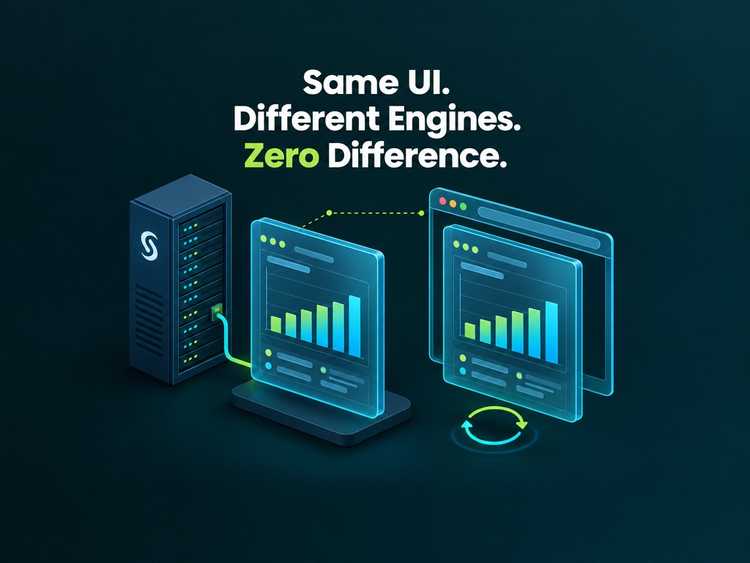
Most SAS estates are hardened at the network edge, and then opened up again by the number of people who need a way in. Building a web front end against one takes standing access: network reach, an identity, a credential, somewhere to write the code and usually a copy of the data. Each of those is a route into a system that holds the organisation’s most sensitive analytics - granted to a developer whose job is to render a page.
Mocked backends take that requirement away. The front end is developed against a JavaScript implementation of the same services, so the development loop never touches SAS. This article sets out the risk that pattern addresses, what it removes from circulation, when it pays for itself, where its limits are, and how to build one.
The risk is not the server, it is everything that touches it
A hardened server is only as strong as the devices that hold credentials for it. Breaches that begin on a developer machine are a well documented route into a server estate, and they are not exotic: a phishing link, a malicious package in a dependency tree, a compromised browser extension, a personal project that shares a shell history. The estate is rarely the target; it is what the credentials on that machine unlock.
The problem is structural rather than a matter of discipline, and each requirement compounds the last:
- Every developer needs standing access. Not one key: a VPN profile, a database login, an OAuth client, a long-lived token, an app location they can write to.
- Those credentials have to live somewhere. On a laptop, in a shell history, in a
.envfile, in a CI secret that someone also uses locally, in a screenshot on a ticket. - Access is broader than the task. Roles are usually granted for the whole job rather than the task - a shortcut on cost or effort - so a developer holds more reach than they need, deliberately or accidentally.
- Rotation never catches up. Each developer having their own credentials is correct practice, and it is also the scale of the problem: every identity is a standing grant with a token that outlives the project it was issued for. Rotation is a project per person, offboarding is only as good as the list, and a leaked credential is usually discovered after it has been used, not before.
- The development loop loads production. Test runs, sample queries and half-finished services all execute on the box that also runs the reporting the business depends on.
The result is a cost that is hard to quantify but easy to recognise. The estate is expensive to protect, because so many people have to be trusted with it, and expensive to run, because it carries work that could be done on a laptop or in a pipeline instead.
What the development loop asks for today
It is worth writing down, because the list is longer than it feels:
- Network reach to the SAS server, which usually means a VPN.
- An identity on that server, with a licence entitlement.
- A token or client secret, stored somewhere durable.
- A writeable location, historically in the same folders production services live in.
- Data that resembles production closely enough to build against.
- Compute, during working hours, for test runs and restarts.
- Somebody to grant all of the above, and to remove it later.
Mocked backends remove items 1 to 4 outright. They replace item 5 with a generated fixture, move item 6 onto the developer’s machine or into a pipeline, and reduce item 7 to a grant on a source repository.

What changes when the backend is JavaScript
The mechanism is small. SASjs Server chooses a runtime from the file extension, so services/common/getdata.js is a service in exactly the same sense as getdata.sas. Where the service folder is the contract, the front end cannot tell which one it is talking to. There are two ways to run a backend like that, and both matter here.
A JavaScript-runtime server (RUN_TIMES=js) deploys and executes the services on a real drive with real sessions. It is a SASjs Server, not a SAS one: a lightweight Node process that can sit on a laptop, in a container, or on a small internal host with nothing else on it.
The browser build goes further. mockWeb in streamConfig makes sasjs build emit a second artefact - your frontend, your compiled services, a service worker and a small runtime - in which the backend runs in the browser. The service worker intercepts the calls the adapter makes, runs the matching program, and resolves webout, log and headers back to the app. There is no server.
Whichever of the two you run, the estate drops out of the picture in the same way.

The estate is not on the path
There is no network route from the developer’s machine to SAS, so no firewall rule has to be opened and no address allowed through. The strongest configuration also becomes the easiest: the SAS environment accepts traffic only from its own production ranges, and the web tier that serves the application sits outside them. A compromised laptop then finds no SAS endpoint to authenticate to, because no credential for one is on it.
That is the property worth paying for. It is not that the developer is trusted more; it is that they no longer need to be.
There are no credentials to distribute
No client secret. No personal access token. No metadata password on a laptop. No service account shared by four people so the tests can run. Nothing to rotate when somebody leaves, because nothing was issued.
What remains is a git account, which the organisation already governs, and a build that produces static files. The token surface of the whole development life cycle collapses to the source repository.
Nobody needs VPN access to build a front end
VPN membership is a blunt instrument: it grants a foothold in a private network in order to reach a single application. Removing that requirement for front-end developers takes them off the account list that has to be reviewed, recertified and deprovisioned. Contractors and agencies can contribute to a front end without being granted anything inside the network, which matters most for exactly the people it is hardest to justify adding to it.
Viya does what it was bought for
A Viya environment is an analytics platform. It is sized, licensed and tuned for queries, models and production reporting, not for the deploy per commit that a front end generates during a sprint. Every restart, every test run and every half-built service that lands on it is capacity taken from the work that justifies the licence, and noise in the logs the platform team uses to diagnose real incidents.
Moving development off the estate leaves it carrying the load it was bought for. It also makes the estate’s own change control simpler: nothing arrives there except a release.
The pipeline is faster and safer
A browser-hosted build needs no SAS container, no licence check and no network dependency, so a pull request gets an answer in minutes instead of waiting in a queue behind an environment. It also publishes: the artefact is static files, so a review environment for any branch is a deploy of a folder.
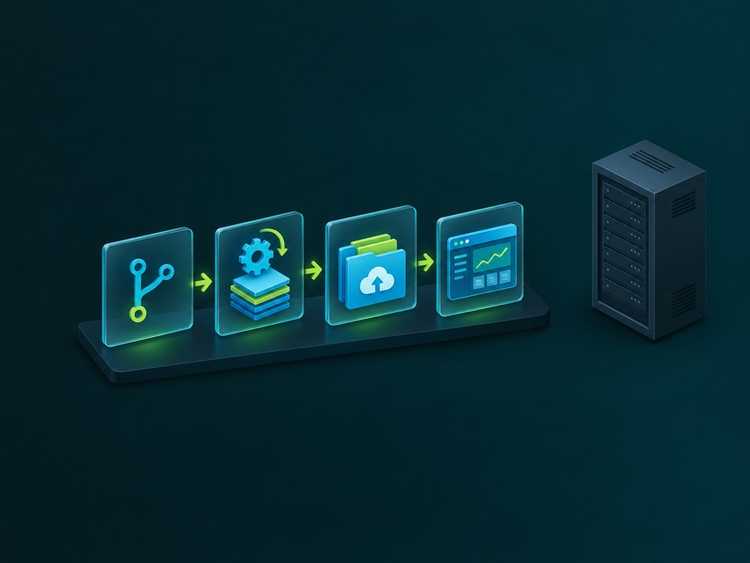
The safety point is less obvious. A mock cannot be reached from the internet, cannot be left running with production data in it, and cannot be the thing an attacker pivots through. The CI estate stops being a second estate to secure.
Work continues when SAS is not running
Plenty of organisations switch Viya off outside working hours, or restrict it to a maintenance window. Development that depends on it inherits that calendar. A mocked backend has no such dependency: tests run at night, a developer in another time zone is not blocked by a licence server, and a release can be cut on a Saturday without anyone asking for an exception.
And it lowers the total cost of ownership
None of this is cost-free, but the arithmetic is straightforward. Fewer environments to license and operate. Less cloud spend on dev instances. Less platform-team time granting and revoking access, reviewing firewall rules and restarting servers. Fewer credentials to rotate, and a smaller blast radius when something goes wrong, which is the expensive part of any incident. Shorter onboarding, because a new developer clones a repository and runs two scripts instead of waiting for a ticket to clear.
The same repository still deploys to Viya, SAS 9 or a real server. mockWeb is independent of streamWeb, so one config serves both the browser build and a normal sasjs deploy.
It is still the real contract
This is not a stub left in a drawer. The mocked app uses the same @sasjs/adapter in the browser, the same service names, the same webout contract, the same <sasjs> element and the same appLoc. When the time comes to run against a real backend, nothing in the front end changes - only the target the build was made for.
The services are real services too. The same JavaScript programs deploy to a SASjs Server for development, and shadow the SAS ones on a mixed deployment, because a server chooses the runtime per program. That is what makes the mock worth maintaining: it is the second implementation of a contract you already have, not a fixture bolted to the side of it.
What it does not protect you from
The boundary is worth stating plainly, because it is easy to forget once a mocked suite is green.
There is no SAS engine in the browser, so a service that reads a SAS table, runs a macro, uses a format or touches CAS cannot work there. Fixtures answer in the shape the real service answers, not with its values, so a mocked run cannot validate a join, an aggregation or a format. The mocked build is a development and review vehicle; anything that needs SAS gets a real target, and the release still has to be exercised against the real thing before it ships.
There is also no authentication in a browser-hosted build. It is single-user and has no authority; do not put one where a permission boundary is supposed to exist, and do not treat a green mocked suite as evidence that authorisation works.
And a mock that drifts from the service it imitates is worse than no mock, because it certifies behaviour that does not exist. Generate the fixture, and fail the build when the two disagree.
Five working examples
All public, all verified against the live sites at the time of writing.
| Site | What it demonstrates |
|---|---|
| minimal.sasjs.io | The smallest complete case: two services (appinit, getdata), one generated data file, a plain HTML page. The reference implementation to copy. |
| angular.sasjs.io | An Angular app with a file upload and a SAS log panel - and the mocks report logs too, so the panel has something to show with no SAS behind it. |
| react.sasjs.io | The same shape in React, built from build/ rather than src/, which is where webSourcePath earns its keep. |
| staging.datacontroller.io | A commercial product’s entire front end - editor, approvals, viewer, admin, Excel maps - on 63 JavaScript services over a captured drive of 64 entries. A visitor can evaluate it without a licence, a VPN or a single credential, and nothing they do reaches a customer estate. |
| dash.sasjs.io | Macro Dash, the SASjs platformer, published as a mocked build: three JavaScript services over a six-entry drive, running behind a service worker, so a visitor can play and see the leaderboard persist between visits. |
The scale is what makes the point convincing. The three seed apps are five to eight drive entries and two or three services each. Data Controller is sixty-odd services and a seeded drive, running the same code that ships to customers, which is the difference between a demo and an argument.
You can read the delivered configuration for each of them. It is an ordinary file in the build output:
https://minimal.sasjs.io/host/mock-config.json{
"appLoc": "/Public/app/minimal-seed-app",
"seedPath": "host/vfs-seed.json",
"driveEntries": 5,
"jsPrograms": 2,
"programFolders": [
"services",
"jobs",
"tests"
],
"snapshot": false,
"sasTranscript": false,
"identity": "default",
"buildStamp": "96e405daa1",
"builtAt": "2026-11-12T14:49:49.751Z"
}That stamp is worth having on a site you send to people. “Which build am I looking at?” is otherwise a guess.
How to get started
The quickest start is one of the seed apps - minimal, Angular or React - because each already ships a mock target, the mock services and a publishing workflow. Copy that structure into your own project. The steps below are what that structure is.
You need Node and a recent SASjs CLI.
Step 1 - add a mock target
A target, no more:
{
  "name": "mock",
  "serverType": "SASJS",
  "appLoc": "/Public/app/minimal-seed-app",
  "streamConfig": {
    "mockWeb": true,
    "mockWebFolder": "sasjsbuild/mock",
    "webSourcePath": "src"
  }
}
mockWeb turns the browser build on and mockWebFolder is where the output goes: a single-page app with a service worker standing in for the backend. webSourcePath points at the built frontend - src for a hand-rolled page or a framework that serves from source, build for Create React App, client/dist for a CLI-built Angular app. appLoc is where the app will be deployed in the SASjs folder system. serverType is required by the config schema, and the mock build does not use it.
Step 2 - write the twins
Keep the mock services in a folder that mirrors the real service folders, and add a syncFolder so they land on the drive beside the compiled programs:
sasjs/
  services/common/getdata.sas      <- the real service
mocks/services/common/getdata.js <- the twin"serviceConfig": { "serviceFolders": ["sasjs/services/common"] },
"syncFolder": "sasjs/mocks"A service folder is not restricted to .sas files. sasjs compile copies a non-SAS file through byte for byte - no macro inlining, no header rewriting - and reports the mix:
Compiled 0 SAS files; 12 files copied through unchanged (not SAS programs).
Packing 0 SAS services and 12 files.
Inside the program you get the same verbs the macro offers. Here is the body of the minimal app’s appinit twin: it reads a JSON fixture off the drive and answers exactly what %webout(OBJ, areas) would have answered.
const path = require('path')

const DRIVE_FILES = path.resolve(weboutPath, '..', '..', '..', 'drive', 'files')
const APP_LOC = String(_program).replace(/\/(services|jobs|tests)\/.*$/, '')
const SPRINGS_FILE = path.join(DRIVE_FILES, APP_LOC, 'services', 'common', 'springs.json')

const springs = JSON.parse(fs.readFileSync(SPRINGS_FILE, 'utf-8'))

const areas = []
const seen = new Set()

springs.forEach((row) => {
  if (seen.has(row.AREA)) return
  seen.add(row.AREA)
  areas.push({ AREA: row.AREA })
})

areas.sort((a, b) => (a.AREA < b.AREA ? -1 : a.AREA > b.AREA ? 1 : 0))

webout('OPEN')
webout('OBJ', 'areas', areas)
webout('CLOSE')
Tables arrive the way they do on a real server: the adapter serialises an array of rows as CSV, and the program reads it back through the _WEBIN_ variables. A download works the same way it does with %mp_streamfile - declare the response in _SASJS_WEBOUT_HEADERS and write the body, to _webout for text or to weboutPath for bytes.
Step 3 - keep the fixture honest
This is the step people skip, and it decides whether the mock is a control or a liability. Generate the fixture; do not hand-write it, and do not copy the dataset, because a copy is a data protection problem with a build step.
The seed apps do it in one script: scripts/springs-data.js writes springs.json from the dataset’s model - same columns, same ranges, same nullability - with a fixed seed, so the file is reproducible. A companion check, npm run check:data, fails when the committed file is not what the generator produces. Mock and real service have then agreed on shape, and cannot silently drift.
Determinism is not a nicety either: random data makes a recorded demo unreproducible and turns any UI assertion into a coin flip.
Step 4 - build and serve it
Two scripts, and the whole mocked workflow. sasjs cb compiles and builds the default target, so set this one as defaultTarget and name it what you like:
"mock:build": "sasjs cb",
"mock:start": "npx http-server ./sasjsbuild/mock -p 3001"
mock:build writes the site to sasjsbuild/mock: the frontend, the compiled JavaScript services, sw.js, and a host/ folder with the runtime and the seed drive. Serve that folder over http or https - a service worker needs a secure context, so localhost and https both work and file:// does not.
The seed apps test the artefact rather than the source: npm run test:mock boots the built worker and asserts that each service answers. A build that produces files but answers nothing then fails in CI instead of in front of a customer.
Step 5 - decide what the visitor starts with
Out of the box the visitor gets an empty drive: the services are there, the data they would have produced is not. A snapshot fixes that. Use the site until the drive is in the state you want, then run this in the browser console:
await window.SASjsMock.download()That saves mock-snapshot.json. Put it beside the build folder - sasjsbuild/mock-snapshot.json - and build again; the build copies it to host/vfs-snapshot.json and reports "snapshot": true in mock-config.json. Every visitor now starts from the captured state. window.SASjsMock.reset() clears the persisted drive and reseeds, which is how you start over.
Treat the snapshot as a generated build input rather than something to commit: it is a plain map of drive path to file content, and a real application’s drive runs to megabytes.
Step 6 - publish it
It is a directory of static files with no server-side requirement, so publish it like one. The seed apps use GitHub Pages: a workflow runs mock:build and test:mock on every pull request, adds a CNAME and .nojekyll to the output, and deploys the folder from main only. Data Controller publishes to its own instance with Surfer, as a named site on an alias domain, so a failed upload leaves the current site serving.
Whatever the host, ship index.html and sw.js together with everything else, because those two carry the references. The runtime files under host/ are requested with a ?v=<hash> query that changes with their contents, so a redeploy replaces them for returning visitors.
Where to read next
The authoritative references are sasjs build (the browser build, snapshots and file responses), JavaScript services (how non-SAS files travel through compile, build and deploy) and the server component page for the JS runtime and its two modes. The seed app READMEs are the shortest path from reading to running, and their repositories are small enough to read in an afternoon.
The argument, in the end, is not that SAS is unnecessary. It is that a platform holding the organisation’s sensitive analytics should be reachable by as few things as possible, and a front-end sprint is not one of them.